BUILD · Built, not consulted
The Wordwise build stack: what we use, why, and when we'd choose differently
Three layers run every Wordwise build. The AI is the cheap part. Orchestration, idempotency, error handling, and cost caps are the expensive part.
The question we keep answering
We get asked the stack question about eleven times a month. Always some version of what do you actually use, and the answer always lands with a small visible disappointment when we name the tools. Because nobody who asks the stack question actually wants the answer to be n8n and Supabase. They want the answer to be the secret platform that the agencies use but the SMBs don't know about. There isn't one. There has never been one.
The honest version of the question is the one underneath: what do I have to know about the architecture so I can tell whether someone is selling me a real system or a polished demo. That's the question we want to answer here.
If you're skimming, the bolded beats and the headers carry the whole article. If you've got twelve minutes, the rest is where the answer actually lives, including a real cost breakdown, the comparison table that comes up in every scoping call, and a worked build walkthrough at the bottom.
Two stats to frame the rest of the piece. The MIT NANDA study from August 2025 found 95% of enterprise and SMB AI pilots failed to reach production or measurable ROI. The same study found that buying from specialized vendors and partnering smartly succeeded about 67% of the time. Internal builds succeeded one-third as often. The pattern underneath those two numbers is the orchestration layer. Not the model. Not the platform. The plumbing around them.
We built the Wordwise stack to be the plumbing.
Why the stack matters more than the AI
An operator writing on IndieHackers earlier this year put it cold:
A demo is not a product. It's a controlled environment that doesn't replicate reality. Demos prove potential. Infrastructure proves survival.
Demos prove potential. Infrastructure proves survival. That's the operator's line, and it explains a particular kind of failure we keep watching. The one where the pilot worked in week one and the system was dead by month four.
A 2026 HBR report on AI tool sprawl found that about 22% of knowledge workers cited tool fatigue as a primary productivity drag. The same report estimated significant deep-work time lost every day to context-switching between AI interfaces. And the AI Graveyard project tallied 142 AI companies that disappeared in a single rolling window: 19 shut down, 62 absorbed in acquisition, 61 simply went 404. That's the operator's nightmare. The vendor goes away and the workflow goes with it. Architecture decisions matter precisely because they're what survives when vendors don't.
The pattern those numbers describe is operator-shaped. You bought ChatGPT Plus. You added Gemini Advanced. You signed up for a Make trial. Your team pastes into one tool, screenshots from another, drops the result in a spreadsheet, and calls it a workflow. It is not a workflow. It is five demos held together with attention. And attention runs out.
The stack matters because the stack is what survives when attention runs out.
The three layers
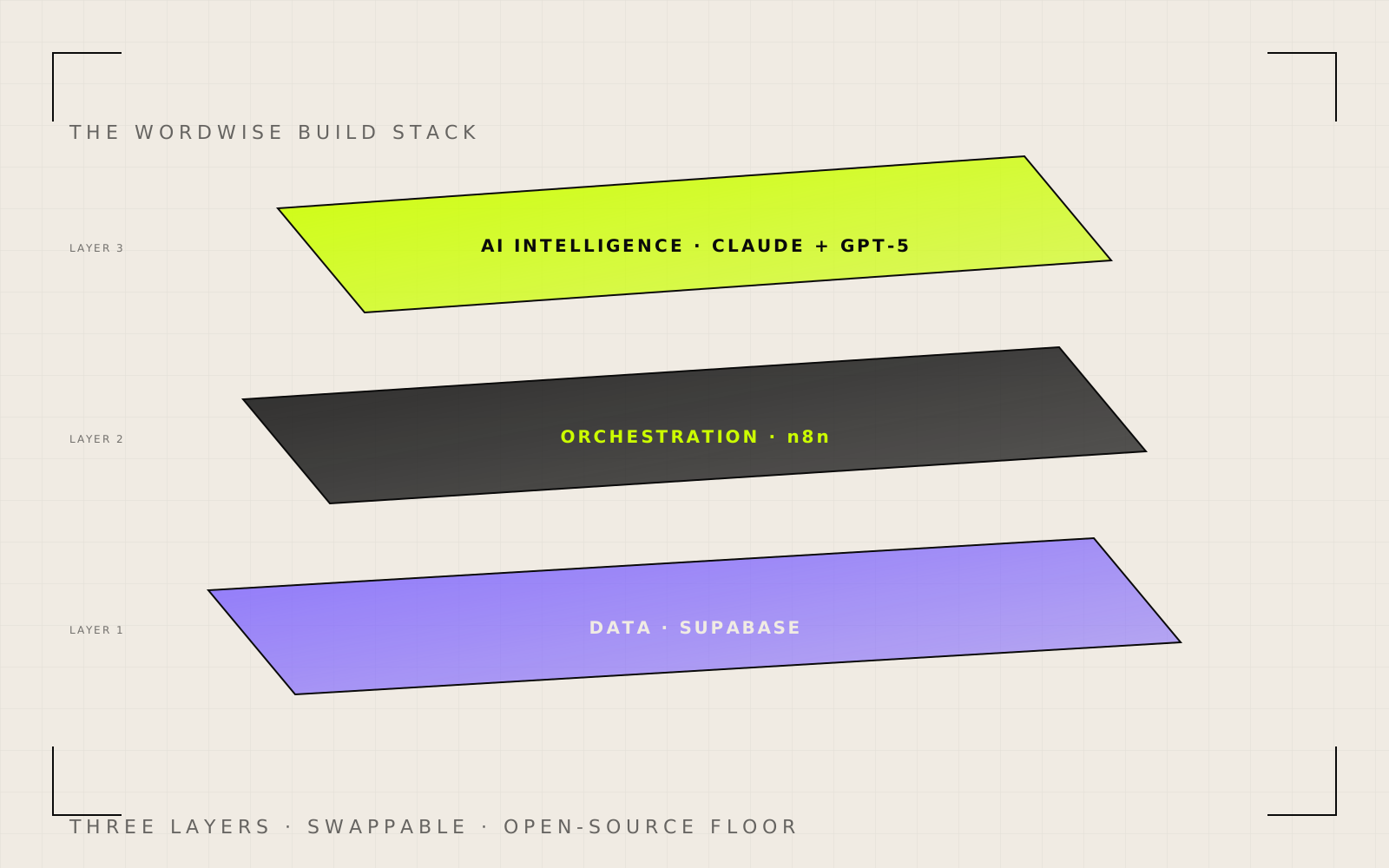
We frame every Wordwise build as three layers stacked on each other. Each layer is a slot, not a product. The slot survives even when we swap the tool inside it.
Layer 1 is data. Where the system stores state, looks things up, writes results.
Layer 2 is workflow orchestration. What decides which step runs when, which condition branches where, which retry fires after which failure.
Layer 3 is AI intelligence. The model calls. The reasoning. The text generation. The classification.
The reason we draw the layers this way is that vendor swaps within a layer are cheap. Vendor swaps across layers are expensive. If we move from Claude to GPT-5 inside Layer 3, the n8n canvas barely changes. If we move from n8n to a custom Python orchestrator, the whole project becomes a different project. Pick the layer abstractions first. Pick the tools inside the layers second. That ordering is the whole game.
Layer 1, the data layer: Supabase
Picture an SMB owner pulling a list of his active customers. He opens the CRM. Then the billing tool. Then a spreadsheet a former employee made. Three sources, three different definitions of active, zero confidence in the answer. That's the operator scenario the data layer exists to fix. One place state lives. One place lookups happen. One place writes go back.
Supabase is Postgres with auth, storage, and edge functions wrapped around it. We use it for state storage in almost every build.
What it does for us. Schema-first data modeling. Row-level security as a tenant boundary. Real-time subscriptions when we need them. Auth out of the box. A REST and GraphQL surface that means the n8n canvas talks to data without us hand-writing query nodes.
What we tried before. Firebase: NoSQL schema drift killed maintenance after six months on one project. Airtable: pricing escalates past $20 a user a month the moment you cross the Pro feature line, and the API rate limits hit fast. Naked Postgres on AWS RDS: works, but you write the auth layer yourself, and the operational surface is large.
Why we landed here. Postgres is the right database for about 90% of SMB workloads. Supabase is Postgres without the operational tax. The exit ramp is short. If we outgrow it, the dump is ours.
Costs at SMB scale. Free tier covers most prototypes. Pro tier is $25 a month and handles meaningful production traffic. Compute add-ons scale up when needed.
When we'd pick differently. Three cases. Hard regulatory compliance with a specific vendor list. Existing RDS or Cloud SQL traffic that does not need re-platforming. RLS limits hit in a specific tenant model after testing.
Layer 2, the workflow orchestration layer: n8n
This is the layer that earns the most pushback in scoping calls. People know Zapier. They've heard of Make. n8n is the third one. We default to it.
Picture a different operator scenario. A lead comes in through a webhook at 7:42 pm. It needs to be qualified, routed to the right rep, written into the CRM, acknowledged with an email, and logged for the daily report. Five steps. Each one could fail. Each one has a retry policy worth thinking about. The orchestration layer is what makes those five steps a system instead of five disconnected actions held together by hope. That's the slot. Everything else is just argument about which tool fills it.
What it does for us. Visual workflow building with a code escape hatch. Native nodes for every service the typical SMB touches. Self-hostable on a $20 a month VM. A custom node library for the long tail.
What we tried before. Zapier: price wall and logic ceiling at six to ten workflows. Make / Integromat: visual model is great until the complexity climbs, then it becomes hard to read. Custom Python orchestrators: works, but every change becomes a deploy, and the visual artifact disappears.
Why we landed here. The hard ceiling on Zapier is logic. The hard ceiling on Make is readability. n8n has neither at the scale we work at. The self-host option means we pay $20 a month for a VM and run thousands of executions without per-task pricing.
The comparison every scoping call ends up at
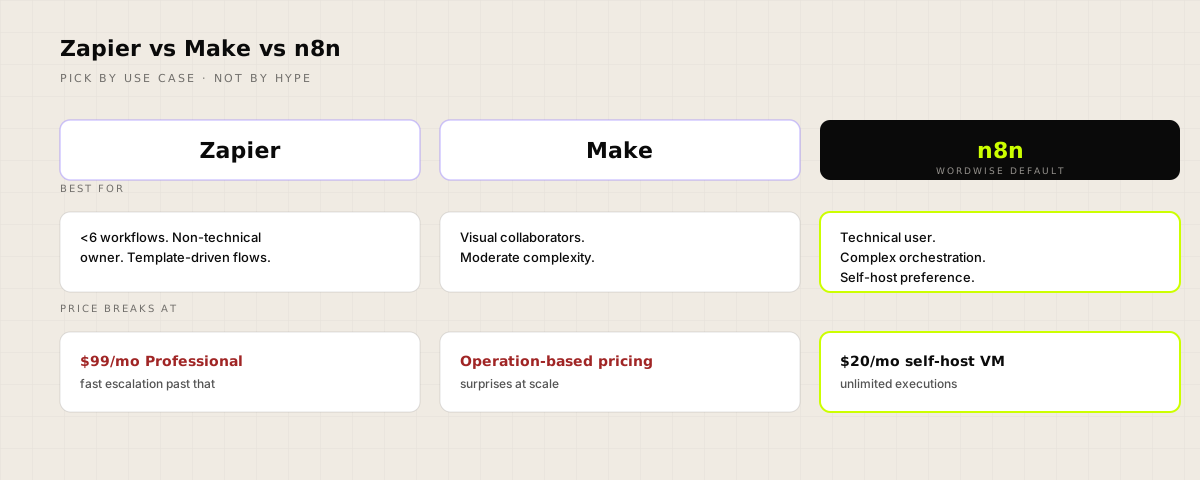
| Tool | Best for | Price breaks at | When to leave | |---|---|---|---| | Zapier | Fewer than six workflows, non-technical owner, template-driven flows | $99/mo Professional, fast escalation past that | More than ten active workflows, JSON loops, multi-condition filters | | Make | Visual collaborators, moderate complexity, integrations Zapier misses | Operation-based pricing surprises at scale | Agent-style flows, heavy branching, complex state | | n8n | Technical user, complex orchestration, self-host preference | Self-host: $20/mo VM. Cloud: $20/mo for 2,500 executions | When complexity outgrows the visual canvas and you need pure code-first orchestration |
The pattern in that table isn't a Wordwise invention. A widely-shared 2025 Medium teardown of the three tools summed up the Zapier escalation in one line: "Need to filter by multiple conditions? Upgrade. Need more than 100 tasks/month? Upgrade." That writer landed on n8n after running into Zapier's logic walls, same as us. The pattern repeats with every operator we talk to who's been through the cycle.
Costs at SMB scale. Self-hosted: $20 a month for the VM. n8n Cloud: $20 to $50 a month depending on execution volume.
When we'd pick differently. Two cases. The client has no technical owner and never will. Below six workflows: Zapier wins on UX. Above that point, the cost and logic ceiling tilt back to n8n every time.
Layer 3, the AI intelligence layer: Claude primary, GPT-5 fallback
The most expensive layer to mess up. Most teams treat AI as a flat cost. It is not. Anthropic's own published cost math, validated against our own bills, shows the spread.
Single-agent setup with a chat-equivalent prompt: about 4x the cost of a comparable chat session.
Multi-agent setup with hand-off and inter-agent calls: about 15x the cost of a chat session.
That spread is the difference between a workflow costing $40 a month and $150 a month at the same volume. Most teams discover it on the invoice.
The horror story we cite when this comes up gets passed around agent-design circles: two agents asked each other for clarification in a loop for the better part of two weeks before anyone noticed. No exceptions thrown. Just polite retries. The bill landed in the five-figure range. None of the caps that prevent this were set. We don't quote a specific number unless we can put a receipt next to it, and we can't on that particular case. But the shape of the failure is documented across multiple engineering writeups, and the lesson holds. Caps are not optional.
What it does for us. Claude Sonnet 4.6 runs the bulk of reasoning, document analysis, content generation, classification, and long-context work. GPT-5 fills in on structure-heavy extraction where its JSON-mode reliability and lower output cost win.
What we tried before. Single-vendor lock (Claude only): cost-efficient until a task hits its weakness. OpenAI only: reasoning quality lagged on long-context work. Local models via Ollama: viable for very specific cases (PII-sensitive data, offline inference). Not viable as primary infrastructure for client work.
Why we landed here. Claude as primary for conversational and reasoning workloads. GPT-5 as the structure-and-extraction backstop. The fallback pattern means we never argue about which model is better in the abstract. We test both per task class and route accordingly.
Cost discipline that matters. Three hard caps on every agent. max_tokens. max_iterations. max wall-clock. No exceptions. A typical Wordwise agent config:
max_tokens: 2x_p99_expected_output
max_iterations: 5_to_10_for_typical_agent
max_wall_clock: 5min_sync_or_30min_batch
reasoning_effort: medium_default_low_for_classification
cache_breakpoint: end_of_static_prefix
model: claude_sonnet_4_6_primary
Costs at SMB scale. API costs for a typical SMB build land between $200 and $500 a month at small volume, $800 and $1,200 at meaningful volume. Prompt caching cuts these by 50 to 90% on repetitive workloads. We use Anthropic's caching aggressively. Cache breakpoint at the end of the static prefix. Five-minute TTL for steady traffic, one-hour TTL for bursty.
When we'd pick differently. Two cases. Structure-extraction-heavy text work at very high volume: GPT-5 primary, Claude fallback. PII-sensitive data with a no-vendor-egress policy: local model via Ollama on a dedicated VM, narrow scope, accept the quality trade-off.
The supporting cast: Resend, Cal.com, Cloudflare
Three tools that earned their slots quietly. Each one is the smallest defensible choice for what it does, and each one is replaceable inside its slot without the rest of the stack flinching.
Resend is the transactional email layer. Developer-first API. Modern DX. Pricing that does not surprise. We use it for assessment confirmations, lead routing, system alerts, the whole transactional surface. About $20 a month covers most SMB volumes.
Cal.com is the scheduling layer. Here's the operator-recognition beat we keep landing on with new clients. You picked Calendly two years ago because everyone else did. Three people on your team use it now. The bill is $48 a month for scheduling automation two of them barely touch, and there's no exit because the embed is baked into your booking funnel. Cal.com is open source, self-hostable, flat at the team tier, and the embed swap is roughly a Tuesday afternoon's work. We've migrated three clients in the last year. Each one expected drama. Each one shipped by lunch.
Cloudflare is the edge layer. CDN, DNS, R2 storage when we need cheap object storage, Workers when we need a thin compute slice that doesn't justify a full VM. The free tier covers most SMB sites. Pages or static hosting via Hostinger for content sites.
None of these three are load-bearing in a way that would make a swap painful. That's the point.
Want to see this run on your business instead of read about it?
Fifteen minutes. Free. Written report on where AI fits in your current operation, which layer needs work first, what we'd build if we were the ones shipping it. No call. No sequence.
Take the 5-min assessmentWhat this stack costs at SMB scale
Here are the actual numbers. No padding.
At small scale (one to three active workflows, low execution volume):
- Supabase: $25/mo (Pro tier)
- n8n: $20/mo (self-hosted VM)
- Claude API: $200–$400/mo
- Resend: $20/mo
- Cal.com: $15 a seat/mo (so $15 solo, $45 for a three-person team)
- Cloudflare: $0–$20/mo
Total: about $280 to $500 a month at one to three seats. The floor lands closer to $300 the moment a team starts adding scheduling seats.
At meaningful scale (ten-plus active workflows, tens of thousands of executions, agent-style flows):
- Supabase: $100–$200/mo with compute add-ons
- n8n: $50–$100/mo (larger VM or n8n Cloud)
- Claude + GPT-5 API: $800–$1,200/mo with caching
- Resend: $50–$100/mo
- Cal.com: $30–$60/mo
- Cloudflare: $20–$60/mo
Total: about $1,000 to $1,700 a month.
Salesforce's 2026 SMB AI ROI report puts typical savings per shipped AI workflow at $500 to $2,000 a month. The math only works because the orchestration layer is open-source. Replace n8n with a per-task SaaS at thousands of executions and the math flips. Replace Supabase with a fully managed alternative at $0.50 a gigabyte and the bill doubles. The choices compound.
Compare to one of the most common alternatives we see proposed: hire an internal AI lead at $200K a year fully loaded. The stack above runs at about 1% of that headcount cost and ships outputs every week instead of after the first six-month roadmap. That's the math we actually want clients to do.
When we'd pick differently
The honest list.
We'd pick Zapier when the client has fewer than six workflows planned, no technical owner, and a template-shopping mindset. Zapier's UX is gentler at low scale. We move them off when the workflows climb past ten or start needing branching logic.
We'd pick Make when the build is heavily visual-collaborative and three or four people will be reading the canvas regularly. Make's visual model is friendlier for non-technical co-builders at moderate complexity. The ceiling is real, but the comfort is also real.
We'd pick GPT-5 primary when the dominant workload is high-volume structured extraction from noisy text, with strict JSON schema requirements. GPT-5's structured output reliability and lower output cost at volume can win the cost battle.
We'd pick a different stack entirely when the client is enterprise-scale with an existing data warehouse, a procurement team, and a tooling allowlist. We don't work there. The stack above is built for the five-to-two-hundred-employee operator who needs a system shipped, not a twelve-month procurement cycle.
The architectural decisions that matter more than the tools
Tools change. Architecture decisions persist. Five patterns survive every vendor swap we've done.
Stripe will retry your webhook three times. Without idempotency, you double-charge a customer. That's why every state-mutating webhook gets idempotency. We dedupe by event ID plus timestamp using n8n's static workflow data, expiring after sixty seconds. Webhook senders deliver at-least-once by design. Stripe, Shopify, GitHub: every one of them will retry into your workflow, and every one of them will cause duplicate writes if you let them.
Hard caps on every AI call. max_tokens. max_iterations. max wall-clock. Set explicitly. Never unbounded. The five-figure horror story from earlier is the worst-case version of unbounded. The everyday version is a workflow that quietly runs three times more iterations than expected and pushes a $200 monthly bill to $600. The cap is the contract with yourself.
Error trigger sub-workflow. Every production workflow has an Error Trigger workflow assigned in Settings. Catches uncaught failures. Sends an alert with workflow name, execution ID, failing node, sanitized payload snippet. Logs to Sheets for trend analysis. Tested monthly by intentionally failing a known workflow. Without it, n8n reports executions as success when no node throws, and silent half-success becomes your dominant production failure.
End-of-workflow assertion node. A Code or IF node at the end of every critical path asserts the output fields are actually populated. If not, throws an error caught by the Error Trigger. The most common n8n production failure isn't a node crashing. It's a node returning empty data and the next node smiling at it.
Item multiplication audit. Every node downstream of a multi-item source gets a decision. Should this run per item, or once? Set executeOnce: true on the once-only nodes. The cost of running fifty times when one was meant is high. Alert fatigue. Quota burn. Duplicate writes. We've watched this one cost a client about $400 in a single bad Saturday before anyone noticed.
A 2026 SaaStr writeup on the same pattern put it in a line we keep coming back to:
The Deployment is The Sale. Not a demo. Not a trial. Not a pilot agreement.
The architecture is what makes deployment possible. Demos don't have hard caps. Demos don't have idempotency. Demos don't have error triggers. Production does. The work between demo and production is where most agencies hand the client an invoice and disappear. We treat that work as the work.
A walkthrough build. Invented for the page, but every architecture choice is real.
To make this concrete, here's a worked example of the kind of lead-routing build we ship for multi-location service businesses. The scenario is invented because the clients we've actually shipped this for haven't agreed to be quoted with specifics, but every architecture decision below is one we've made on a real engagement. The shape is real. The names and numbers are illustrative.
The problem. Inbound leads arrive from a web form, Google Business Profile, and a paid lead-gen vendor. Multiple locations. Each location has different working hours, different on-call rotations, different lead types they accept. Manual routing means lost leads after hours and on weekends.
The Wordwise canvas. One n8n workflow with three triggers. Webhook for the web form. Pub/Sub trigger for the GBP feed (via Google Cloud function). Schedule trigger that polls the paid lead-gen vendor's API every five minutes, because their webhooks were unreliable and we've stopped pretending otherwise.
Each trigger flows into a normalization Set node that maps every lead into a canonical schema. Single source of truth for the rest of the workflow.
A Supabase lookup pulls the location config (working hours, on-call rotation, accepted lead types). An item multiplication audit ensures the routing decision runs once per lead, not once per location.
A Claude Sonnet 4.6 call runs the lead classification. Three-line system prompt, cached at the static prefix. max_tokens 200. max_iterations 1. max wall-clock ten seconds. Output is a structured tool-use response routing the lead to one of four queues.
A Switch node fans out to the queue handlers. Resend sends a transactional email to the on-call rep. A Supabase insert writes the lead to the queue table. A Slack alert fires for high-priority leads.
End-of-workflow assertion node verifies the lead was queued, the email was sent, and the Supabase write succeeded. If any fails, the Error Trigger sub-workflow catches it, alerts Roni, and writes to the error log.
What we under-built deliberately. Two things. The Claude classification could be a multi-agent setup with a primary classifier and a verifier. We did not build that. Single-agent at 4x chat cost, with a 95% accuracy threshold, beat a multi-agent setup at 15x cost for 97% accuracy on the actual lead mix. The math did not justify the upgrade. We also did not build a custom admin UI. The Supabase dashboard plus a Retool view covered the operator needs at zero build cost.
What it costs to run. About $180 a month all-in at the typical lead volume for a four-location business. Replaces what used to take roughly six hours a week of routing across location managers.
What to do tomorrow
Vendor-neutral steps that hold whichever stack you pick.
Pick one workflow. The one that costs you the most manual time this week. Specific. Named. Not "lead intake in general." The actual one.
Sketch the three layers on paper. Where does the data live? What orchestrates the steps? Where does the AI call (if any) sit?
Set the hard caps before you write code. max_tokens, max_iterations, max wall-clock. Pick numbers. Write them down.
Build the error path before the happy path. Where does the failure go? Who gets alerted? What gets logged?
Ship something narrow before you ship something broad. The agents that survive in production are the narrow ones. Reliability goes up the narrower the agent scope gets.
Why this list isn't really about the tools
Here's the thing nobody tells you about a build stack. The tools aren't the point.
We've watched Supabase get swapped for managed Postgres on a client who absorbed a partner with a compliance allowlist. We've watched Claude get swapped for GPT-5 on a structure-heavy invoice extraction workflow that ran for thirty days at half the cost. We've watched n8n get swapped, once, for a code-first orchestrator on a client who hired a senior platform engineer and wanted everything in git. In all three cases, the workflow survived. The architecture survived. The hard caps survived. The error triggers survived. The architecture is what survives. The tools are what changes.
That's why we wrote this piece, and that's why it's not really a tool recommendation. It's the shape of a system that holds up after the agency that built it has stopped answering email. Most of what we get hired to fix isn't a model choice. It's the absence of those five patterns in the previous build. Tools don't kill SMB AI projects. Missing patterns do.
We benefit when an SMB owner reads this piece, picks Zapier, ships one workflow with hard caps and an error trigger, and never hires us. That's still a Wordwise outcome. The patterns are open. The architecture survives the vendor swaps. That's the whole point.
Get the stack mapped to your business
Fifteen minutes. Free. Written report by Monday. No call. No sequence.
Take the 5-min assessmentFAQs
n8n vs Zapier for an SMB: which one wins?
Below six active workflows with a non-technical owner, Zapier wins. The UI is gentler, the templates are abundant, the support burden lands on Zapier instead of you. Above ten active workflows, Zapier loses on price and on logic ceiling. Need to loop through a JSON array? Filter by multiple conditions? Run a workflow that branches three ways and merges back? Zapier escalates you into the $99-plus tier and still hits walls. n8n self-hosted runs on a $20 a month VM and handles the same logic without per-task pricing. The break point isn't team size. It's workflow complexity. We move clients off Zapier when their automation needs branching, looping, or stateful orchestration. Until then, Zapier is the right call, and saying otherwise is agency vanity.
Should we build AI in-house or hire an agency?
MIT NANDA studied this in 2025. Buying from specialized vendors and partnering smartly succeeded 67% of the time. Internal builds succeeded about 33%. Roughly two-to-one against you if you build internally without prior automation experience. The reason is not skill. Internal teams underestimate the orchestration layer. They build the model call. They skip the idempotency, the retry logic, the error trigger, the cost caps, the schema contract. The system works in the demo and fails the week after launch. Hiring an agency makes sense when the agency does not disappear at go-live. Ask any agency how they handle month four. If they cannot answer concretely, the 67% number does not apply to them, and you are betting on the same internal-build math anyway.
What does an AI agency stack actually cost?
At small scale, roughly $280 to $500 a month. Self-hosted n8n on a $20 VM. Supabase Pro at $25. Claude API in the $200 to $400 range for a workflow processing thousands of items. Resend at $20. Cal.com at $15 a seat. Cloudflare at $0 to $20 depending on traffic. At meaningful scale (tens of thousands of workflow runs, agent-style flows, structured output at volume), call it $1,000 to $1,700 a month. Salesforce's 2026 SMB AI report says automation saves $500 to $2,000 a month per shipped workflow. The math holds at the higher end, but only because the orchestration layer is open-source. Replace n8n with per-task SaaS and the math flips.
Claude vs GPT-5 for production: which is better?
Claude wins on conversational reasoning, instruction following, and long-context document work. GPT-5 wins on structure-heavy text extraction and JSON-mode reliability under load. We run Claude Sonnet 4.6 as the primary for about 80% of work and fall back to GPT-5 when the task is structure extraction over noisy input, where Claude's reasoning premium does not earn its cost. Both vendors are production-grade. The bigger production question is not which model. It is whether the orchestration layer around the model is hardened. Anthropic's own published numbers show multi-agent setups cost about fifteen times a chat-equivalent token spend. Single-agent setups cost about four times. Without max_tokens, max_iterations, and a wall-clock cap, both vendors will let you spend money you did not plan to spend.
Why self-host n8n instead of using n8n Cloud?
n8n Cloud starts at $20 a month for 2,500 executions. Self-hosted on a $20 Hetzner or DigitalOcean VM gets you unlimited executions, full data sovereignty (the data never leaves your VM), and the ability to install community nodes the cloud plan restricts. The trade-off is operational. You own the upgrades, the backups, the monitoring. For most SMBs running five to fifteen workflows, n8n Cloud is the right call until execution volume justifies the operational tax. We default to self-hosted because we already operate the infrastructure for our own work. For a client we are handing off to their own team, n8n Cloud is the smaller surface area, and we recommend it openly.
When does Supabase stop being the right call?
Three cases. First, you need a fully managed relational database with first-party vendor SLAs and your compliance team will not accept anything else. Second, you have an existing Postgres install on AWS RDS or GCP Cloud SQL already running production traffic, and Supabase is solving a problem you do not have. Third, your data model needs row-level security across more than a handful of tenant boundaries, and you have already tested the Supabase RLS limits in your specific schema. Supabase is the right call for about 90% of the SMB builds we ship. It collapses Postgres, auth, storage, and edge functions into one well-documented platform. The exit ramp is also short. If you outgrow it, the Postgres dump is yours to take anywhere.
What architectural decisions matter more than which tools we pick?
Five patterns survive every vendor swap we have done. Hard caps on every AI call (max_tokens, max_iterations, max wall-clock). Webhook idempotency on every state-mutating endpoint. An error trigger sub-workflow that catches uncaught failures. End-of-workflow assertion nodes that verify critical output fields are populated. Item multiplication audits on every node downstream of a multi-item source. Tools change. The architecture is what keeps the system running in month four, month eight, month twelve. The agencies that disappear after go-live skip these. The systems that survive bake them in from day one. If you only remember one sentence from this piece, it should be that one.
Keep reading
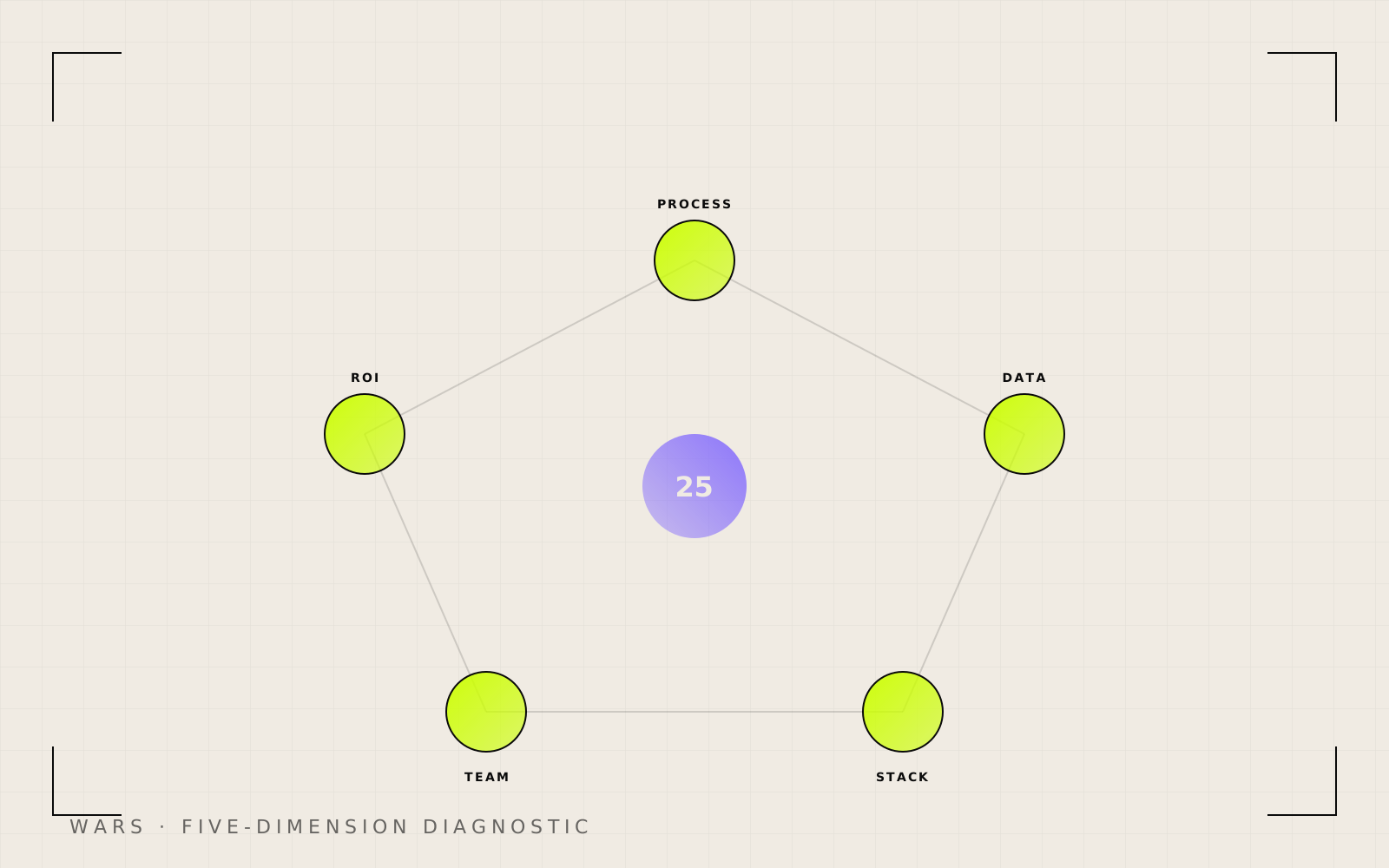
The Wordwise AI Readiness Score: how to know if you're ready before you spend a dollar
95% of SMB AI pilots fail. The Wordwise AI Readiness Score takes five minutes and tells you whether to audit, build one workflow, or go cross-functional.
Roni Ravikumar · 17 min read
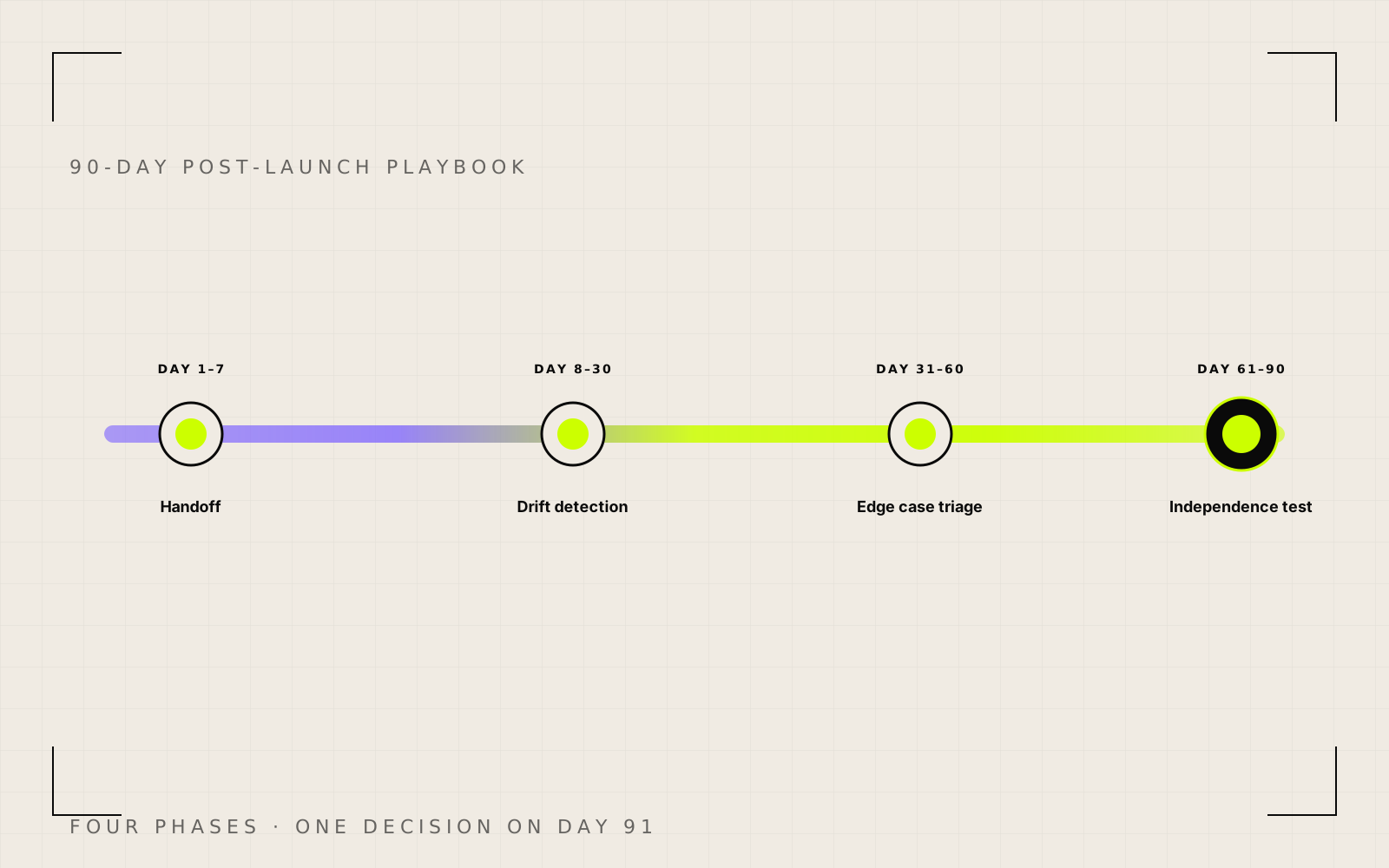
The 90-day post-launch playbook: what a real AI agency does after go-live
Most AI builds die quietly inside 90 days because nobody owned them after go-live. Here is the 90-day post-launch playbook a real AI agency runs.
Roni Ravikumar · 15 min read
Anthropic just spent ten cities pitching Claude to small business. Here's what you should actually do.
Anthropic took Claude on a 10-city tour pitching small business owners on AI. The tour answers the wrong question. Here's the conversation we'd run with any owner before they buy a single seat.
Roni Ravikumar · 13 min read